
Free Word Search Online & Printable
Try Our Custom Word Search MakerFind the words, then read the remaining letters from left to right and top to bottom to uncover a hidden message. Solve Adult Word Search Puzzles online, download them, or print them out.
Adult word search
Everyday PleasuresDrag across a word, tap each letter in order, or tap its first and last letter. Keyboard: arrows + Enter; Escape cancels.
Try also: LARGE PRINT word search for seniors ● Christmas word search 🎄 ● Bible word search 📖 ● Thanksgiving word search 🎃 ● Animals word search 🦒 ● Halloween word search 🐈⬛ ● Winter word search ❄️ ● Fall word search 🍁 ● Food word search 🍓 ● Baby shower word search 🧸 ● Wedding word search 💍 ● Summer word search ☀️ ● Spring word search 🌷
Free Adult Word Search Online and Printable
This free word search online and printable game is designed for adults who enjoy a relaxing word puzzle with clear letters and simple controls. You can solve the puzzle directly on your computer or tablet, adjust the letter size, choose how words are placed, and print the same word search with an answer key.
Each puzzle contains a list of hidden words and a secret message. The words may cross when they share the same letter. After you find every word, the letters that remain unused in the grid reveal the hidden message.
How to Play the Online Word Search
Start by choosing the puzzle length and word directions. The word list appears beside the letter grid. Your goal is to find every listed word inside the grid.
You can select a word in several ways:
- Drag across the word. Press or tap the first letter, move across the word, and release on the final letter.
- Select the first and last letters. Click or tap the first letter and then the final letter of the word.
- Select every letter separately. Click or tap each letter in order until the complete word is selected.
- Use a keyboard. Move through the grid with the arrow keys and select letters with Enter or the Space bar.
When a correct word is selected, it is highlighted inside the grid and crossed out in the word list. Continue until you have found every word.
Forgiving Word Selection
The game uses forgiving selection, so you do not always have to begin and finish on the exact cell. If your selection starts or ends one letter away from the correct word, the game can recognize the intended answer and adjust the highlight.
This is especially useful on tablets, where dragging across a small letter grid can sometimes be imprecise. It also makes the puzzle more comfortable for anyone who prefers a less demanding selection method.
Simple and All-Direction Word Searches
You can choose between two word-direction settings. The setting changes how the hidden words are placed inside the puzzle.
Simple Directions
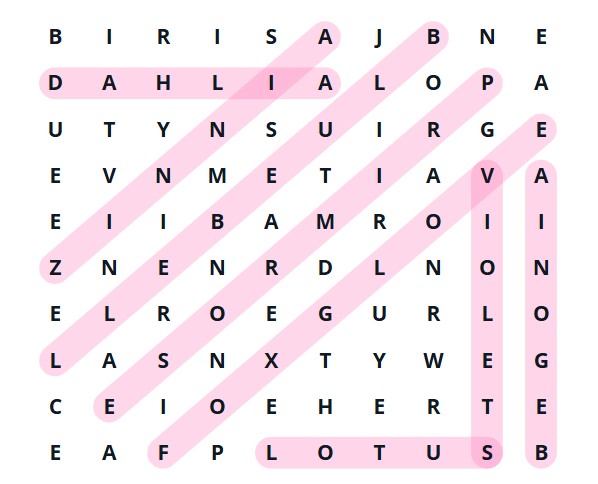
With Simple Directions, words appear only from left to right or from top to bottom. There are no diagonal or backward words.
This option is a good choice when you want:
- a quick and relaxing puzzle;
- an easier large-print word search;
- a puzzle for someone new to word searches;
- a clear printable activity for an adult or senior group.
All Directions
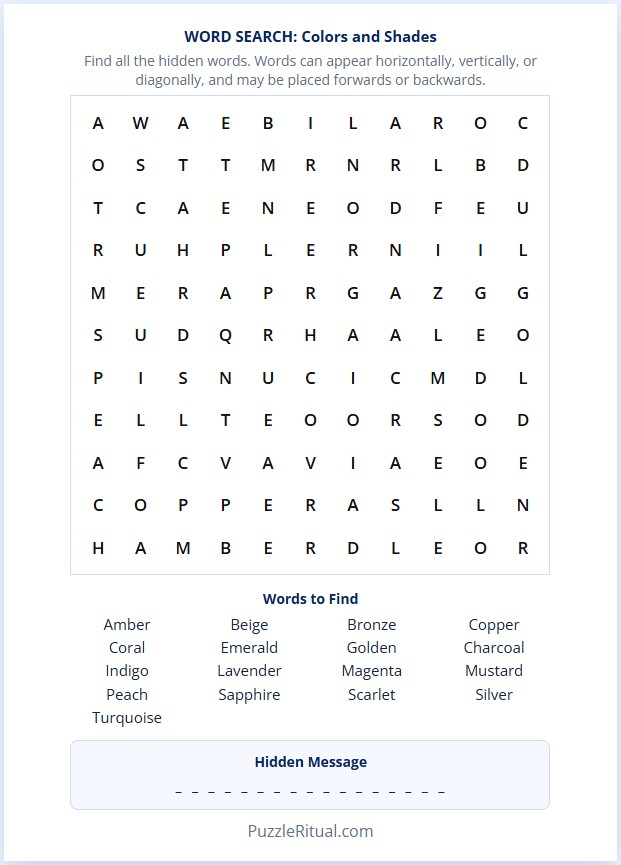
With All Directions, words can appear horizontally, vertically, or diagonally. They may also run forwards or backwards.
This version is more challenging because a word can begin anywhere and continue in any straight direction. Words may also cross one another when they share the same letter.
Changing the direction setting creates a new version of the puzzle because the words must be arranged differently inside the grid.
Choose the Length of Your Puzzle
The online word search includes several puzzle-length options. Instead of choosing only Easy, Medium, or Hard, you can choose according to the amount of time you have available.
- 5 Minutes: A smaller word search for a short puzzle break.
- 10 Minutes: A balanced everyday puzzle with more words to find.
- Take Your Time: A larger puzzle for a longer and more challenging activity.
The actual solving time will be different for every player. The labels are intended as a simple guide rather than a strict timer. You can solve the puzzle at your own pace.
Reveal the Hidden Message
This word search includes a second challenge. After all the listed words are found, the remaining letters reveal a hidden message.
The message is not added separately below the puzzle. It is created from the letters that are not used by any hidden word. Read the remaining letters from left to right and from the top row to the bottom row.
For example, the unused letters may reveal a message such as:
TAKE TIME TO RELAX
Before the puzzle is complete, the hidden-message area shows blank spaces. After every word is found, the remaining letters are highlighted and the complete message appears.
Comfort Settings for a More Readable Puzzle
The Comfort Settings let you adjust the appearance of the grid without changing the puzzle itself.
Adjust the Letter Size
Use the letter-size controls to make the grid letters smaller or larger. Larger letters can make the puzzle easier to read on a laptop or tablet.
Choose Normal or Wide Spacing
Select Normal spacing for a compact traditional grid or Wide spacing for more room between individual letters.
Your comfort choices can be remembered by the browser, so the puzzle can use the same settings when you return.
Word Search Game Buttons
The controls below the puzzle help you solve, restart, or print the activity.
- Hint: Gives you help with one word that has not yet been found.
- Clear: Removes your current unfinished letter selection without changing completed words.
- New Puzzle: Loads another arrangement and gives you a fresh word search.
- Print: Opens a clean printable version of the current puzzle.
Printable Word Search With Answer Key
You can print the same puzzle you see online. The printable version includes the letter grid, the words to find, and blank spaces for the hidden message.
The answer key shows:
- the location of every hidden word;
- crossing words inside the grid;
- the unused letters that create the secret message;
- the completed hidden message below the puzzle.
In your browser’s print window, you can send the activity to a printer or choose Save as PDF to keep a copy for later.
Online Word Searches for Adults
Many word-search puzzles are created mainly for children or school worksheets. This game uses general adult vocabulary and a calm Puzzle Ritual design. The page avoids unnecessary competition and does not require you to solve against a timer.
You can use this word search puzzle during a coffee break, on a quiet afternoon, while travelling, or as a printable activity for a small group. The combination of online play, adjustable letters, forgiving selection, and a hidden message makes the puzzle comfortable while still providing a satisfying challenge. If you like these word puzzles, you can try also more challenging word scramble games, mini crosswords or daily puzzle: make words from given letters.
Tips for Solving a Word Search
- Look for the first letter of a longer or less common word.
- Check the letters immediately around it in every permitted direction.
- Search for unusual letter combinations, such as double letters.
- Scan one row or column at a time instead of looking randomly around the grid.
- Crossing words can help because one found word may reveal part of another.
- Use a hint when you are stuck rather than revealing the entire puzzle.
Frequently Asked Questions
Is this word search free?
Yes. You can play the word search online for free and open the printable version from the game.
Can I play the word search on a tablet?
Yes. The game is designed to work on laptops and tablets. You can drag across a word, tap its first and last letters, or select every letter separately.
Can words cross in the puzzle?
Yes. Hidden words can cross when they share the same letter. A crossing cell belongs to both words.
What are Simple Directions?
Simple Directions place words only from left to right or from top to bottom. They do not include diagonal or backward words.
What are All Directions?
All Directions allow horizontal, vertical, and diagonal words. Words may be placed forwards or backwards.
How is the hidden message created?
The hidden message is formed by the letters that remain after all word cells are removed. Read the unused letters from left to right and from the top row to the bottom row.
Can I make the letters larger?
Yes. Open Comfort Settings and use the letter-size controls. You can also choose wider spacing between the grid cells.
Can I print the answers?
Yes. The printable answer key shows the hidden words and the remaining letters that reveal the secret message.